 https://mulderdev-docs.pages.dev/
 Join our Discord
# mulderdev_ringbell 🔔
Bring immersive bell interactions to your RedM server with **mulderdev_ringbell** — a professional and highly configurable bell and notification system for **RedM (VORP Core)**.
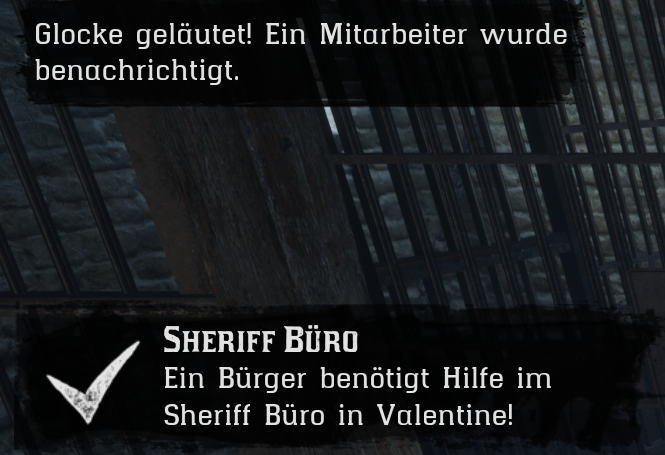
This script allows players to ring bells at predefined locations such as Sheriff offices, medical clinics, stores, saloons, or any other custom point on your server. Once a bell is rung, configured job groups receive a visual notification and an acoustic chime, letting them know that someone needs assistance.
Perfect for roleplay servers that want to improve communication, immersion, and interaction between players and service-based jobs.
---
## 🌟 Features
- **Native RedM Prompts**
Uses authentic RedM button prompts in the bottom-right HUD for a clean and immersive RDR2-style interaction.
- **Bell Ringing Animation**
Players perform a fitting bell-ringing animation when using the interaction point.
- **Physical Bell Sound**
Plays a bell sound directly at the configured location, audible to nearby players for extra immersion.
- **Employee Notification Chime**
Notified job members receive a short frontend chime together with the visual notification.
- **Job-Based Notifications**
Each bell can be configured to notify specific jobs only, such as sheriff, doctor, shopkeeper, or any custom job.
- **Double Cooldown Protection**
Client-side and server-side cooldowns help prevent spam and abuse.
- **Flexible VORP Notifications**
Supports native VORP Core notification layouts such as `NotifyLeft`, `NotifyTip`, `NotifyCenter`, and more.
- **Discord Webhook Logging**
Log every bell ring to Discord, including the bell location and the player character name.
- **Bilingual Configuration**
Includes German and English translations by default and can easily be expanded.
- **Fully Configurable Locations**
Add unlimited bell points with custom coordinates, labels, notified jobs, cooldowns, and notification settings.
---
## 📋 Requirements
To use this resource, your server needs:
- **RedM**
- **VORP Core** (`vorp_core`)
- A modern RedM server artifact/build
---
## ⚙️ Configuration
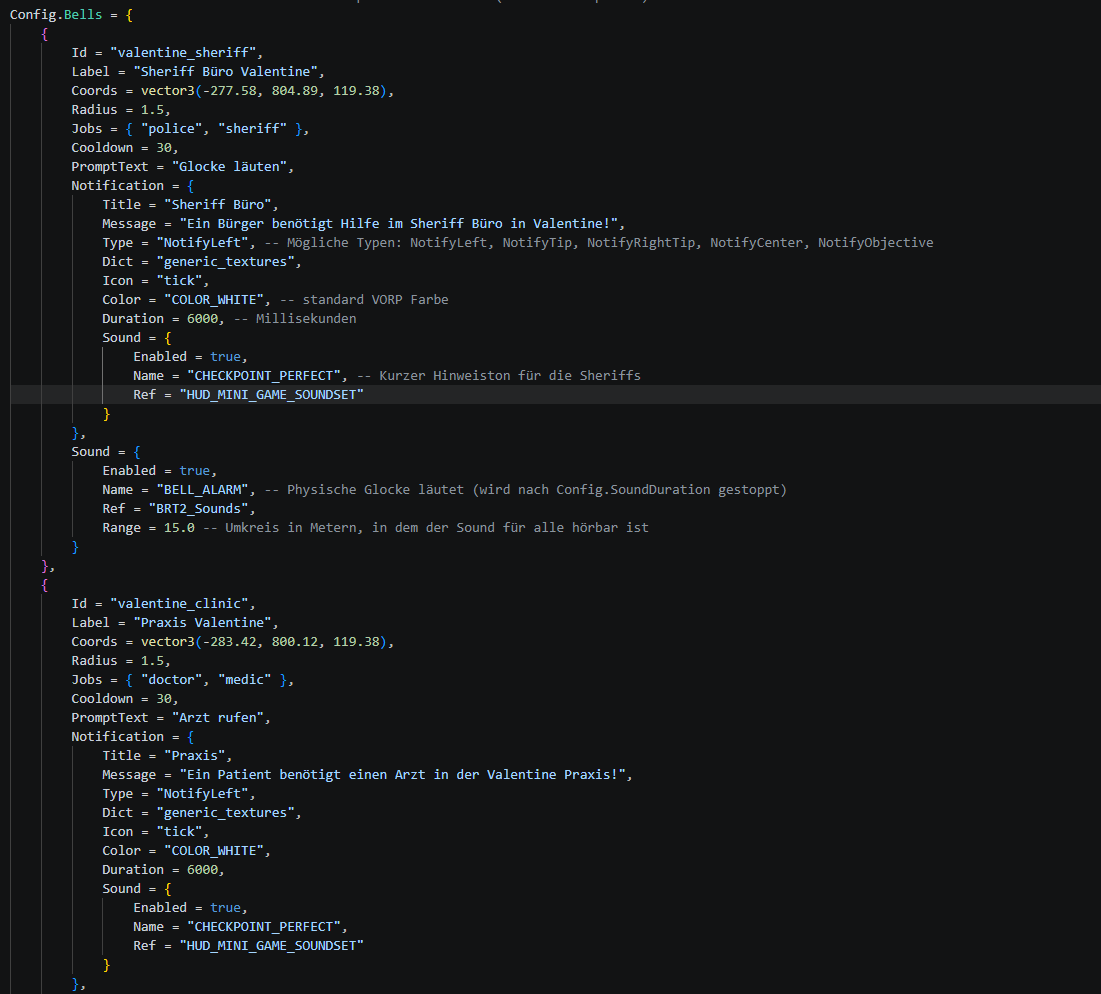
All important settings are handled inside `config.lua`.
You can configure:
- Language: German or English
- Interaction key
- Player cooldown
- Sound duration
- Animation toggle
- Bell locations
- Jobs that should receive alerts
- Notification type
- Discord webhook
- Custom translations
Example use cases include:
- Sheriff office service bells
- Doctor or clinic emergency bells
- General store assistance bells
- Saloon or hotel reception bells
- Custom roleplay interaction points
---
## 📦 Installation
1. Download the resource.
2. Place the `mulderdev_ringbell` folder inside your server resources.
3. Add the following line to your `server.cfg`:
```cfg
ensure mulderdev_ringbell